

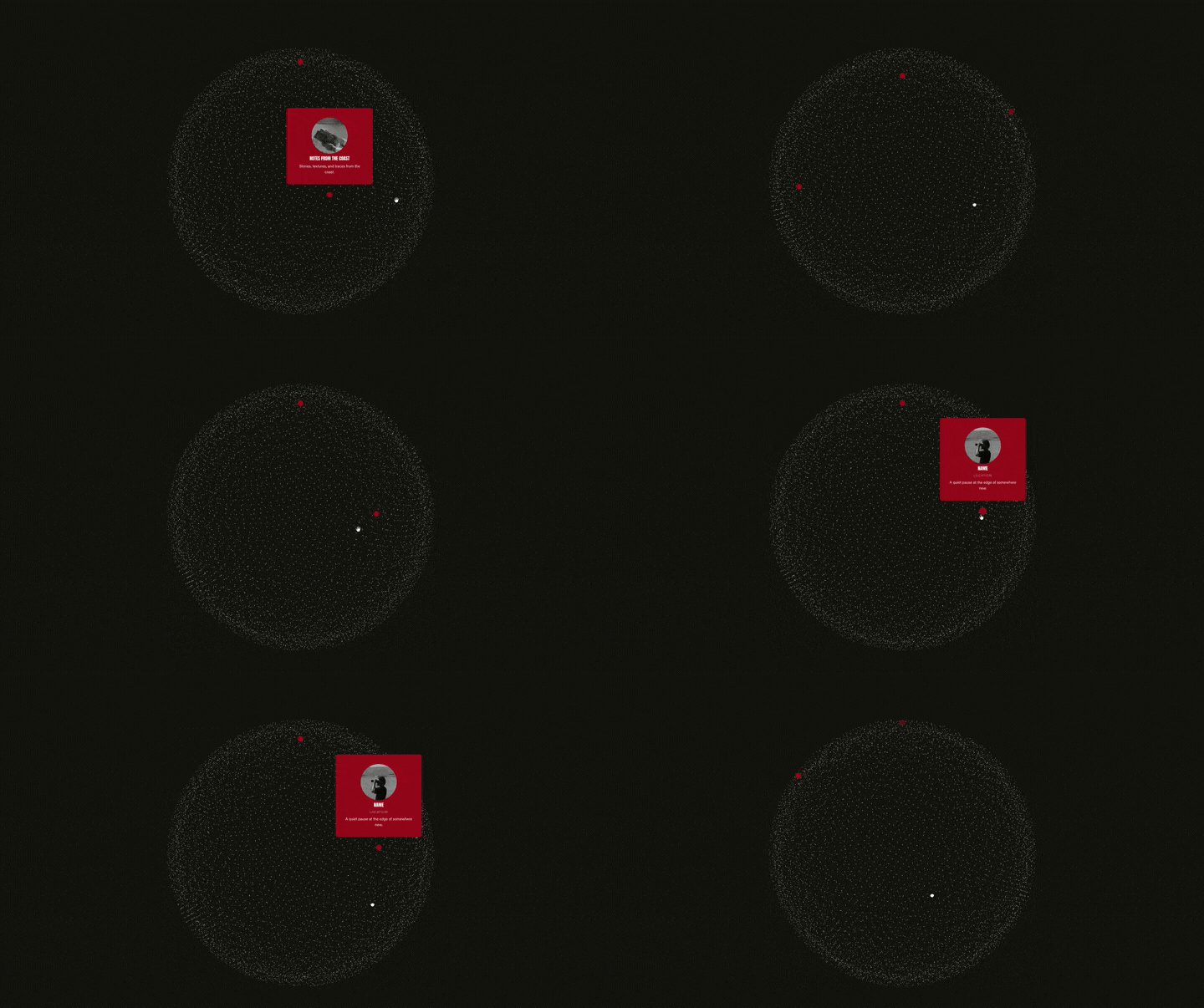
Create a more visual way to showcase your clients with an interactive testimonial globe built in Squarespace using Compose.
Instead of displaying testimonials in a traditional grid or slider, this design places clients around a rotating globe. Visitors can click and drag to explore different locations, then select a pin to reveal the corresponding testimonial.
How it works
The globe is generated as an interactive, 3D-style visual with individual client pins positioned around its surface.
Each pin is connected to content from your Squarespace List Section. When a visitor selects a pin, an animated testimonial card expands from that location and reveals the client's image, name, business name and testimonial.
Visitors can drag the globe to rotate it and discover additional testimonials. Selecting another pin closes the previous card and reveals the new one, keeping the interaction simple while allowing a large number of testimonials to live within one design.
How to set it up
Start by creating a Squarespace List Section containing your testimonials. Add the client image and name to each List Item, then use the description field for details such as the business name and testimonial. You can even add a subtitle to your image cards by adding a line of text and making it bold, and telling Compose to use the “bold“ text to make a subtitle below the title/name.
Open Compose and use the starting prompt to create the interactive globe. Compose can use the existing List Items as the content source rather than requiring you to manually recreate each testimonial.
Once the initial design has been generated, adjust the globe styling, pin positions, animation and responsive behaviour to suit your website. You can then continue adding or updating testimonials through your Squarespace List Section while keeping the design connected to your existing site content.
See this is action on this live Compose Build here starting at 38min
Starting Prompt:
Make a testimonial section that has a greyscale minimal design globe. That has name, image and business name is my description. Pin bubbles and then have them be able to be placed around the globe at various locations, and the globe and be click and dragged around to view all the different clients from around the world and when the pin bubble is clicked. The bubble expands upward with a masking masking reveal of the testimonial and then reverse that animation when clicking away. The items should be taken from my List Items content.
Note: Not all generations will be identical and may require additional prompts.
