

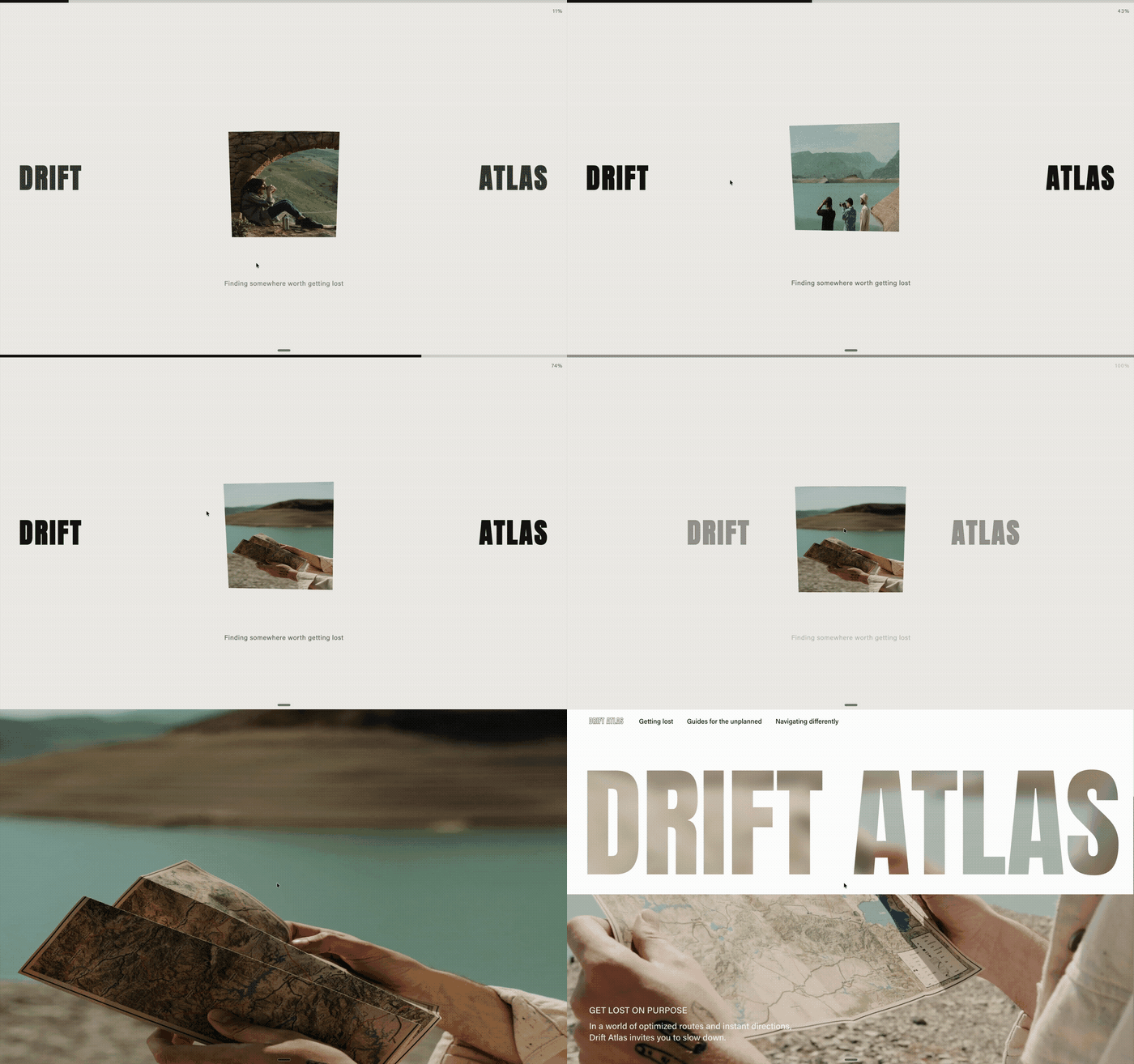
This design adds a custom intro loading screen to your site. A 3D cube appears in the centre of the page and rotates through a sequence of image-based faces while branded text sits on either side.
A loading bar fills from 1% to 100%, a short tagline appears at the bottom, and the animation finishes by bringing the brand name together before fading into the homepage.
How it works
When the site loads, a light-coloured intro screen appears first.
a 3D cube sits in the centre
each cube face uses one of your supplied images
the cube rotates through the images in order
“DRIFT” sits on the left edge and “ATLAS” on the right
a loading bar runs across the top
the text “Finding somewhere worth getting lost” appears at the bottom
the animation finishes with “DRIFT ATLAS” sliding together, then fading into the homepage
Setup
Prepare 3 images for the cube faces in the exact order you want them shown.
Then open Compose and use your starting prompt to build the intro screen, cube rotation, loading bar, text animation and homepage reveal.
Ideas to make it more interesting
To elevate the animation, you could also:
add soft shadows and subtle lighting to the cube
use a slight camera zoom or parallax effect during rotation
give the cube a soft easing effect instead of a constant spin
add a blur-to-sharp reveal on each new cube face
let the loading bar drive the animation timing so it feels more connected
fade the background image or homepage content in behind the final logo reveal
Starting Prompt:
When my site loads, show a light color intro screen with a cube appearing in the middle of my page. As the page loads, i want the cube to rotating slowly with a new face of the cube facing forward. I want each face of the cube to be on the images i'm giving you. There are 3 images so rotate it three times. load them in the order that I am giving you. On the left edge of the site, i want the text "DRIFT" and on the right edge "ATLAS", so the cube will be in the middle. Finish the animation bringing together the two parts of the text sliding in to right "DRIFT ATLAS" and then with a nice smooth animation fade it to open the home page. suggest how this loading animation could be even more interesting? Make the animation smooth when the cube is rotating, so that the design feels even more elevated. Add a loading bar at the top from 1% to 100%. and a small text at the bottom saying "Finding somewhere worth getting lost"Note: Not all generations will be identical and may require additional prompts.
