

Scroll-Driven Text Highlight Reveal
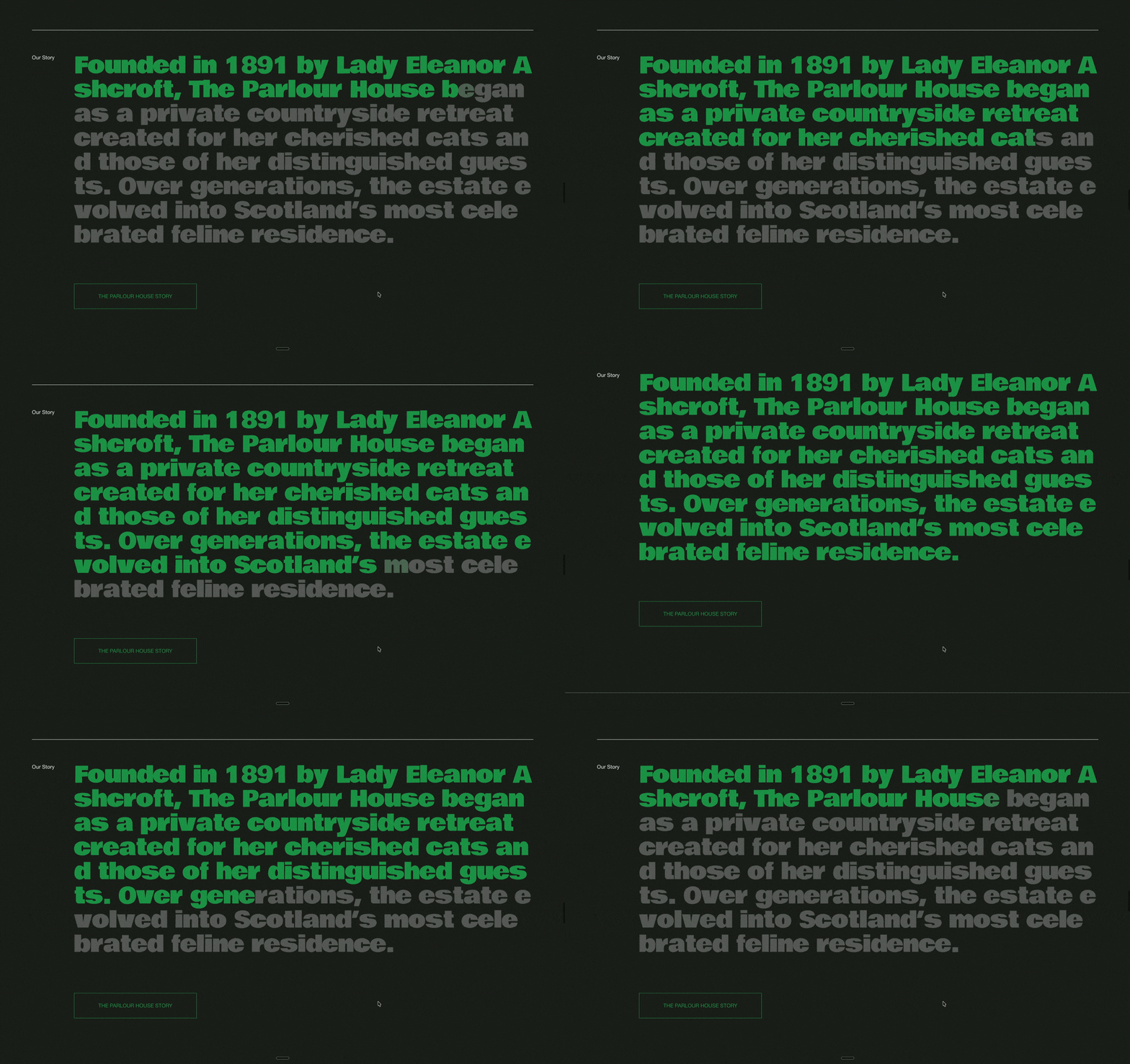
This scroll-driven text reveal turns a large block of copy into an interactive reading experience.
As the visitor scrolls through the section, the text progressively changes from a muted colour to a highlighted colour. The reveal follows the user’s scroll position, making it feel as though the words are filling in as the story is being read.
It works particularly well for brand stories, introductions, statements, manifestos and large editorial sections where the typography is intended to become a major part of the page experience.
The effect can be created from a standard Squarespace text section. Add your heading or paragraph normally, then select the section with Compose and ask it to connect the text colour reveal to scroll progress.
Compose handles the scroll tracking, progressive text reveal and colour transition while keeping the original Squarespace text content in place.
How it was made (setup):
Add a standard text section in Squarespace.
Add the copy you want to animate.
Make the text large enough to become a strong visual element (Scale-text font size recommended)
Select the section with Compose.
Ask Compose to make the text start in a muted colour (you can ask for the same or different color).
As the visitor scrolls, progressively reveal the highlighted colour across the text (you can ask for a acent color variable from your site’s pallet)
Make the animation follow the actual scroll position rather than playing automatically.
Refine the reveal speed, starting point, ending point and colours until the effect matches the section.
You can also also ask for the section to be sticky while is fills the color, or start filling when the text enters the screen.
Starting Prompt:
Pin the section to the top of the viewport when it hits, then fill the heading one character at a time as I scroll — left to right, one after the other with a small gap between each, not a soft gradient across the line. Characters start as white at 30% opacity and flip to my color variable accent color at full opacity. Spread the whole fill over about 1.5 viewport heights of scroll, reverse it on scroll up, then unpin and let the page carry on. Make the scroll length 2 full viewport lengths. Note: Not all generations will be identical and may require additional prompts.
