


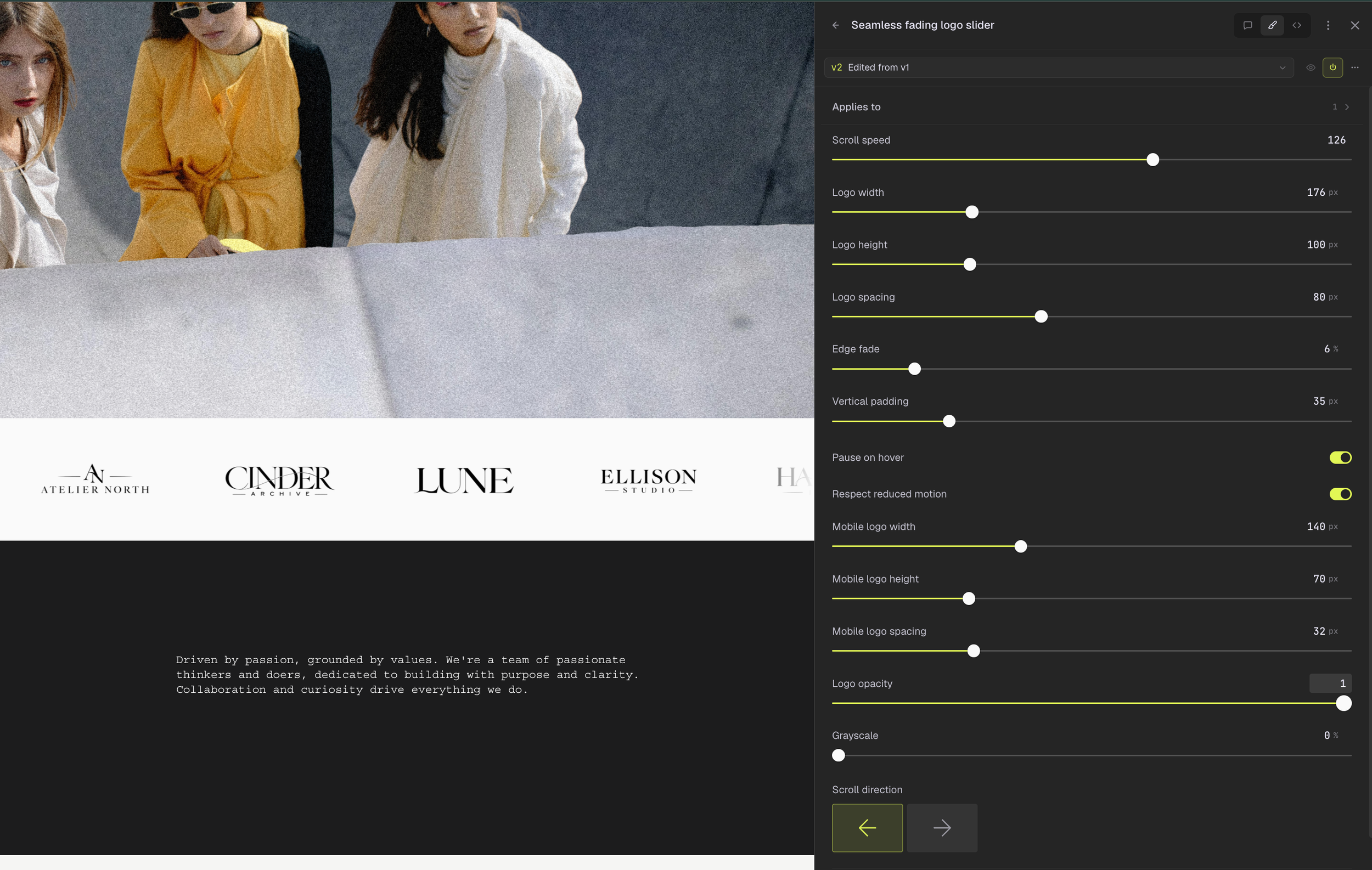
This design creates a continuously scrolling logo slider using the images in a Squarespace Gallery Section. Logos move smoothly across the page in an endless loop, with a soft fade on both edges so they appear and disappear more naturally.
How it works
Compose takes the logo images already added to the gallery section and turns them into a seamless horizontal slider.
You can customise settings like:
scroll speed
logo width and height
spacing between logos
edge fade strength
vertical padding
logo opacity or grayscale
mobile sizing and spacing
scroll direction
pause on hover
reduced motion support
Setup
Add your logo images to a gallery or image-based section in Squarespace.
Then open Compose and use the starting prompt to turn those images into a continuous scrolling logo slider. From there, adjust the controls to fine-tune the motion, spacing and sizing to suit your site.
Starting Prompt:
Create a continuous scrolling logo slider using the images in this section. Have the logos scroll smoothly from right to left in a seamless, endless loop, with a subtle fade effect on both edges so they gradually fade in and out of view.Note: Not all generations will be identical and may require additional prompts.
